
The Dispute System
Five steps in a fixed order, 13 prompts that refuse to guess, a tracker that runs the clock, and a next-step card for every kind of reply.
Why the order matters
Audit
Pull all three free reports from AnnualCreditReport.com and inventory every account, collection, inquiry and personal-information entry. No judging yet.
Find real errors
Compare the inventory with your own records. Only a specific factual disagreement you can document counts: wrong balance, wrong dates, not yours, duplicate, too old.
Build the evidence
For each confirmed error, an indexed set of copies, with redaction notes, and a cover sheet.
Strategy and clock
Your options laid out with the rule behind each: bureau dispute, furnisher dispute, or a debt validation request for a collector. Every deadline tracked from delivery.
Letters, last
Your own AI drafts in your voice, from your facts. You read every sentence, sign it, and mail it certified.
Every prompt carries the same six rules
Use only the facts you paste. Stop and ask if there is no specific error and evidence. Never ask for your SSN or full account numbers. Promise no result. Write plainly in your voice. End with a pre-send checklist.
1. Credit Report Audit
Inventory every entry on your reports with no judging.
Included in the Starter Kit
2. Accuracy Hunt
Compare the inventory to your own records and flag only provable errors.
Full System
3. Evidence Builder
An indexed exhibit list, redaction notes and a cover sheet.
Full System
4. Strategy and Clock
Your options laid out with the rule behind each, and a 90-day calendar.
Full System
5. Late Payment Review
Check a late mark against your own payment proof. A missing record is not an on-time payment.
Full System
6. Collection and Validation
Decide whether to send a validation request and draft it, without admitting the debt.
Full System
7. Too-Old Items Check
Show the date arithmetic step by step, using only dates you supply.
Full System
8. Hard Inquiry Review
Sort the inquiries you recognise from the ones you do not.
Full System
9. Personal Info and Mixed File
Clean up wrong names and addresses, with a hard stop at IdentityTheft.gov for real fraud.
Full System
10. Round 2: a “Verified” Response
A straight answer on whether anything has changed since your first dispute.
Full System
11. Method-of-Verification Request
A short, specific request for how the bureau verified the entry.
Full System
12. Goodwill and Pay-for-Delete Offers
An honest request on an accurate entry, never a dispute.
Full System
13. CFPB Complaint Builder
A dated timeline and a short description from your paper trail.
Full System
The parts competitors skip
Deadline tracker
Log each letter. It works out when a reply is due from the delivery date you enter, and tells you when you are on an estimate. It never leaves your browser. It is part of the Starter Kit.
Round-2 engine
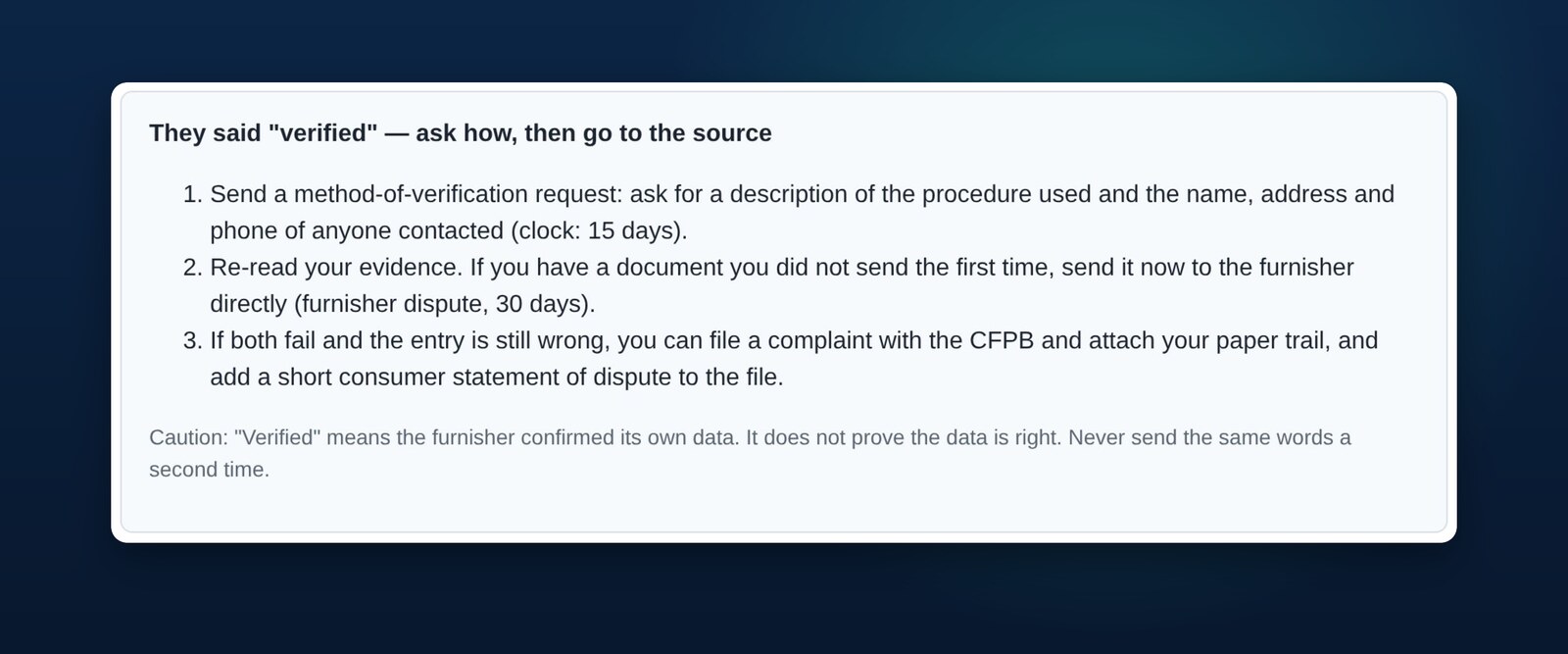
When the reply says verified, updated, no response, not investigated, or the item came back, a card tells you the usual next steps and the cautions that go with them. The next-step engine, with all six cards, is part of the Full System.
Privacy set-up
Start a new chat, turn off training, fill in your personal details by hand outside the chat. Step by step, with a checker that rejects anything that looks like an SSN.
The truth about the myths
Plain explainers on what section 609 really gives you, how long each clock runs, and what a method-of-verification request is. Start with the Learn guides.
When the reply comes back, you know what comes next
Record what the bureau or company said. A card appears with the usual next steps for that reply and the cautions that go with them. It is the same card for everyone who gets the same reply: a published decision aid, never advice about your file. Part of the Full System.
Start for $7
Get the Starter Kit for $7 and use it on your own reports. If it is not for you, you have 30 days to ask for your money back.
CreditFixRS is a software and publishing product. It is not a credit repair organization, law firm, or lender. It does not review your credit file, send anything on your behalf, or give legal advice. Results vary and no outcome is promised. Dates and statute references are pointers for you to verify at the source.